A dashboard web application we built for iDempiere — running alongside your ERP, reading live posted data.
Finance, sales, purchasing, inventory and operations each get their own board. Filter by period, organisation and warehouse; click any figure and land on the iDempiere document that produced it. No overnight batch, no per-user license, no separate island of numbers.
This is not a report you schedule or a spreadsheet someone maintains. It is a web application we built, deployed alongside your iDempiere — open a browser, pick a board, and the business is in front of you as it stands right now.
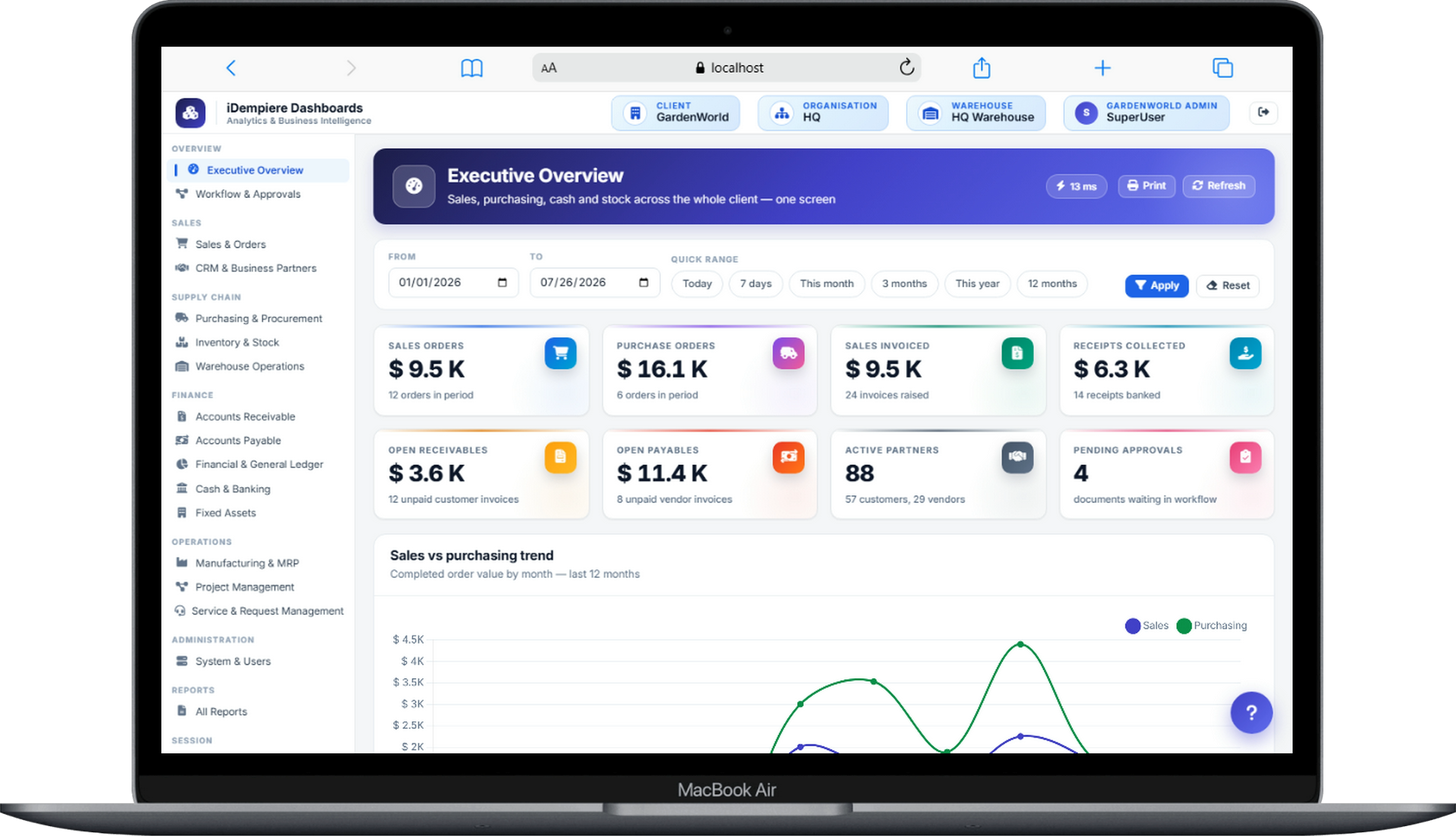
Most dashboards fail because nobody trusts them. Ours are built the other way round: the board is a window onto the ledger, not a copy of it — so a tile on a screen and the document behind it can never disagree.
Finance, sales, purchasing, inventory and operations — each gets its own board with the handful of KPIs that role actually acts on.
Every board slices by period, organisation and warehouse — a branch, a quarter or the whole group, without asking anyone for a report.
Click any figure and land on the iDempiere invoice, order, shipment or journal behind it. No number ever dead-ends.
Every KPI on every board is drawn from documents your team already posts in iDempiere — the same governed data, the same roles and organisations, made glanceable. Because the board reads what is posted, the number on the tile and the number in the ledger are always the same number. And when a figure surprises you, one click takes you back to the document that explains it.
Each board is scoped to one set of decisions, and each ships in the standard pack. More boards — sales, purchasing, production — follow the same pattern.
Sales, purchasing, cash and stock across the whole client on one screen — the health of the business this period, filtered by organisation.
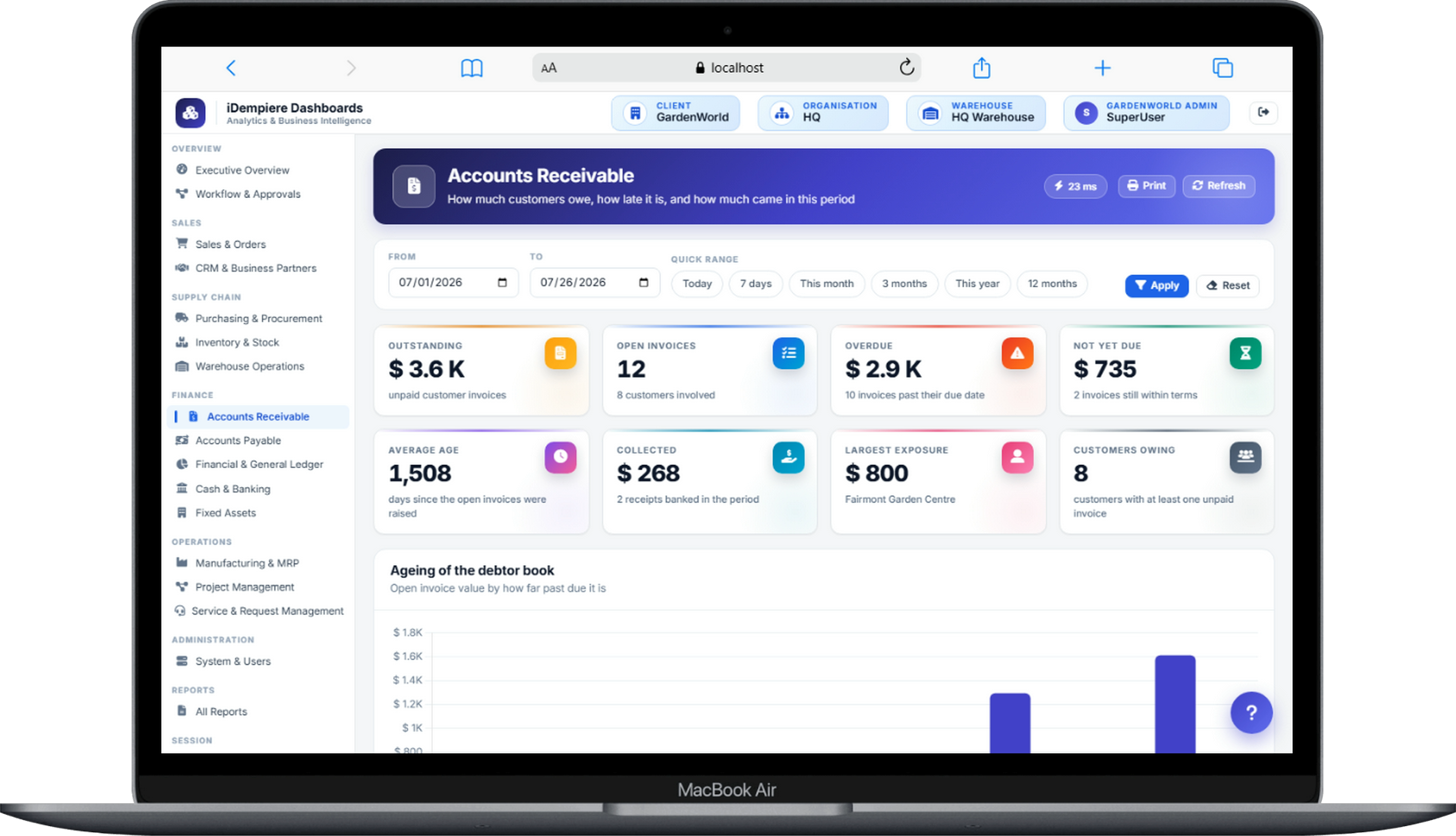
See the Analytics Overview 02Outstanding balance, overdue value, average age and largest exposure — the debtor book aged by how far past due it is, each line a click from its invoice.
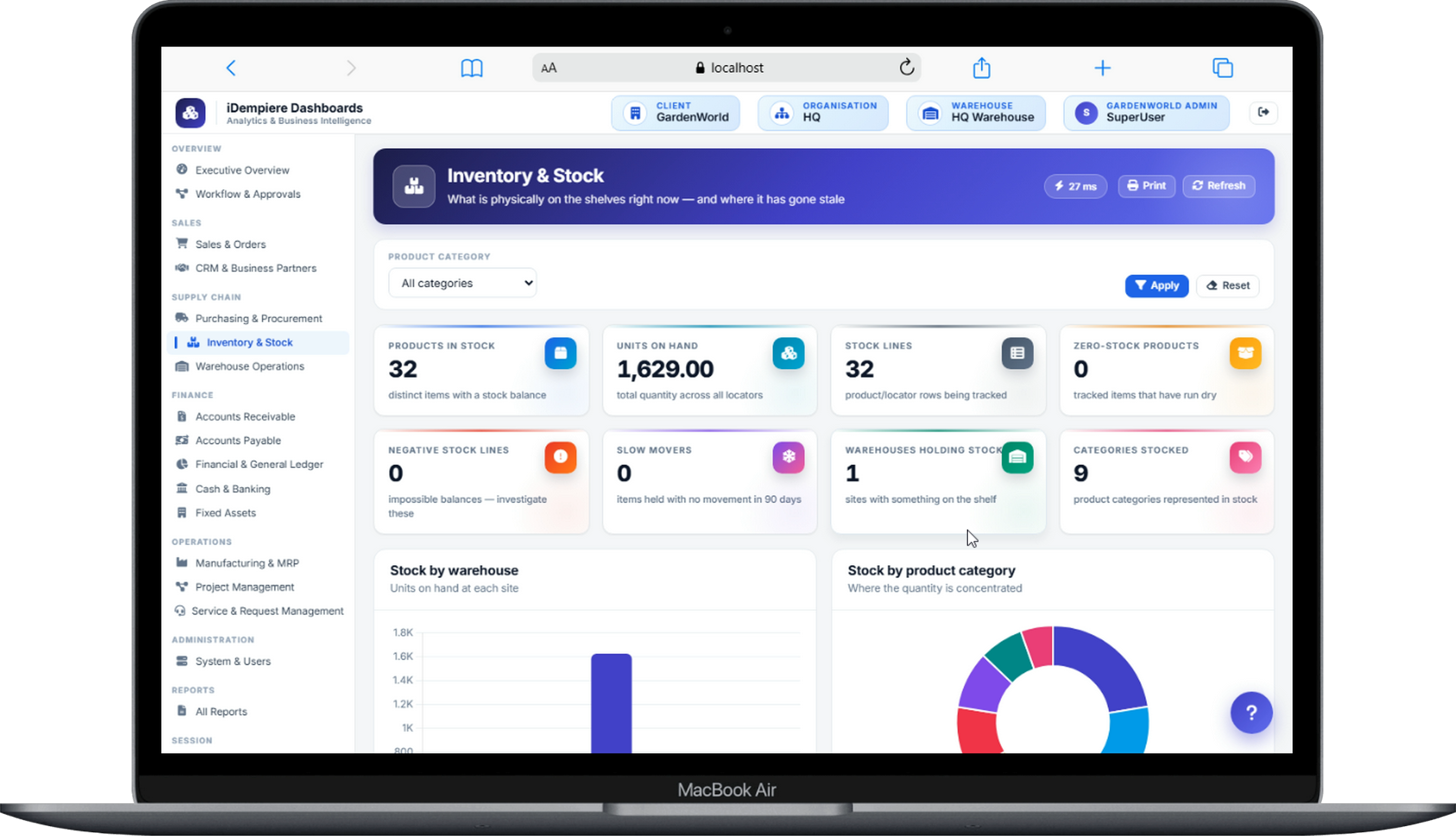
See It on Your Data 03Units on hand by warehouse and category, zero-stock and negative-stock exceptions, and slow movers — what is physically on the shelf right now.
See It on Your Data 04Open orders, receipts and shipments in flight, supplier performance and fulfilment — where the day's work stands and what is stuck.
Discuss Your BoardsScreenshots from the dashboard web application running on iDempiere. Every board carries its own filter bar, and every figure drills to the document behind it.
Dashboard projects rarely fail for lack of charts. They fail for three predictable reasons, and this application was designed against all three.
The dashboard says one thing, the ledger says another, and within a month people go back to asking finance for "the real number".
Every figure drills to the iDempiere document behind it. When a number can be challenged and proven in one click, the argument about whose spreadsheet is right simply ends.
An overnight batch means yesterday's business. By the time a problem shows up on the board, the decision it should have triggered is already late.
The application reads live posted data — post a document in iDempiere and the board reflects it. There is no overnight batch to babysit and no "as of last night" footnote.
Heavy analytical queries fired at a working ERP slow down the very order entry and shipping they are supposed to measure.
It runs as a separate web application, and for busy sites we point it at a reporting replica — the boards stay fast, and your ERP never feels them.
Executive overview plus finance, sales, purchasing, inventory and operations boards — the full set, not a starter tier.
Every board slices by date range, organisation and warehouse, so a branch manager and a group CFO use the same application.
Every KPI traces to the iDempiere invoice, order, shipment or journal behind it — the feature that makes the numbers defensible.
Access mirrors your iDempiere roles and organisations — a branch manager sees their branch, and no one sees what their ERP role excludes.
Installed next to your existing ERP — cloud or on-prem — with a reporting replica configured where load calls for it.
The application is ours, so new boards and new KPIs are a request, not a project — scoped, built and shipped to your deployment.
"A dashboard is only worth the argument it can win. Every figure on every board is one click from the iDempiere document that proves it."
Stop asking for reports.
Open a board, click a number, land on the document — every module, live.
One web application alongside your existing iDempiere, filtered by period, organisation and warehouse, with zero per-user license fees.
We will stand up the dashboard web application on a copy of your iDempiere data and walk you through every board — filters, drill-down and all. Your figures, real screens, no production load, no obligation.